

Services
Cloud Services & Modernization
High Availability & Disaster Recovery
Infrastructure Design & Validation
Integration
Optimization
Performance Tuning
Managed Consulting Services Overview
House of Brick provides cutting-edge software innovation and industry-leading consulting experience to help navigate the most challenging cloud migration and operational challenges.
Home » Oracle Feature Usage Monitoring: Free Forever
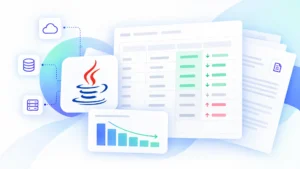
Opscompass includes a dedicated Oracle Feature Usage dashboard, free on every account. Get continuous visibility into which database options and management packs are in use across your Oracle estate, weekly drift alerts when something changes, and a dynamic view that replaces your manual script cycle.
You run feature usage scripts quarterly, or monthly if you’re diligent. But Oracle environments don’t wait for your schedule:
Timeliness in data review to catch unintended feature usage, and discerning licensable features from false positives are the twin trials of license risk accumulation.
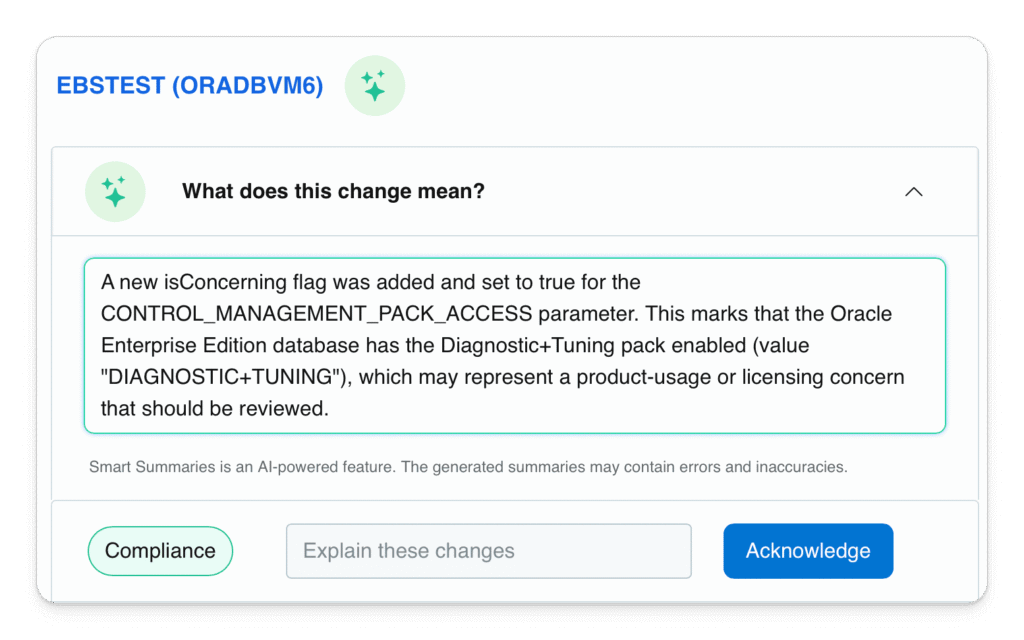

Opscompass applies its existing backend logic to the data collected from your Oracle estate, identifying signs of real feature activity and filtering out false positives. You see what's actually being used, not just what’s present in Oracle’s statistics view. No manual scripts. No stale data.
When a new feature usage is logged by Oracle, Opscompass catches it and creates a Drift alert before the next business day. Your team sees exactly what changed, on which host, and when. Drift doesn't hide until the next audit cycle.
Start each week with a clear picture of your Oracle feature usage landscape: what's active, what changed, and how it compares to what a typical Oracle audit would assume. Share it with management, forward it to procurement, or use it in your next compliance review.
Before any data leaves your environment, Opscompass provides you the option to mask sensitive identifiers including database names, host names, and connection details. Your security team can verify exactly what is collected and what is masked, reducing the scrutiny that typically slows down tool adoption.
The Opscompass free tier answers one critical question: What Oracle features are actually in use in my environment right now?
It does NOT tell you:
That’s the difference between feature usage monitoring, and dynamic holistic license compliance governance in Opscompass.
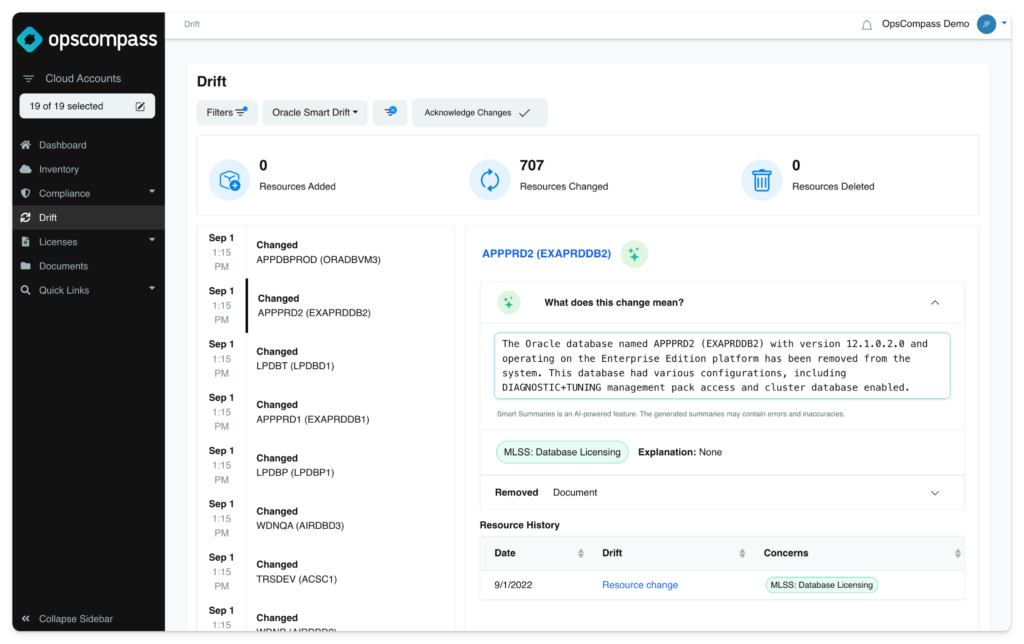
Opscompass Enterprise adds license entitlement comparison, audit risk calculation, and remediation guidance on top of the feature usage data you’re already collecting in the free tier. No re-setup. Same data, deeper analysis.
House of Brick’s Oracle licensing specialists can interpret your feature usage data, assess your audit risk, and build a defense strategy.
who want a clear, hands-on picture of which features are actually running, without spreadsheets
who need recurring visibility across their Oracle estate without adding headcount
who review feature usage data to understand cost and licensing risk
who need to verify how database connections are made and what data is collected
Opscompass monitors all features and options reported through Oracle’s DBA_FEATURE_USAGE_STATISTICS view, including Advanced Compression, Partitioning, Diagnostics Pack, Tuning Pack, Data Guard, Real Application Clusters, Spatial, OLAP, Advanced Security, Label Security, and dozens more.
Yes. The Oracle Feature Usage tier of Opscompass is free with no time limit and no credit card required. The free tier is scoped to feature usage monitoring. We make money when teams upgrade to Enterprise for license entitlement analysis and audit risk assessment.
Scripts give you a point-in-time snapshot. Opscompass gives you continuous monitoring with drift alerts. If a feature activates on Tuesday and you run scripts quarterly, you don’t know for three months. Opscompass tells you that week.
Opscompass collects Oracle feature usage metadata: what features are active, on which instances, and when they were first and last detected. Before any data leaves your environment, Opscompass Studio masks sensitive identifiers such as database names and host names. It does NOT collect table data, query logs, credentials, or any business data from your databases.
Yes. Most teams start with their highest-risk environments (production, largest estates) and expand from there. There’s no minimum instance count.